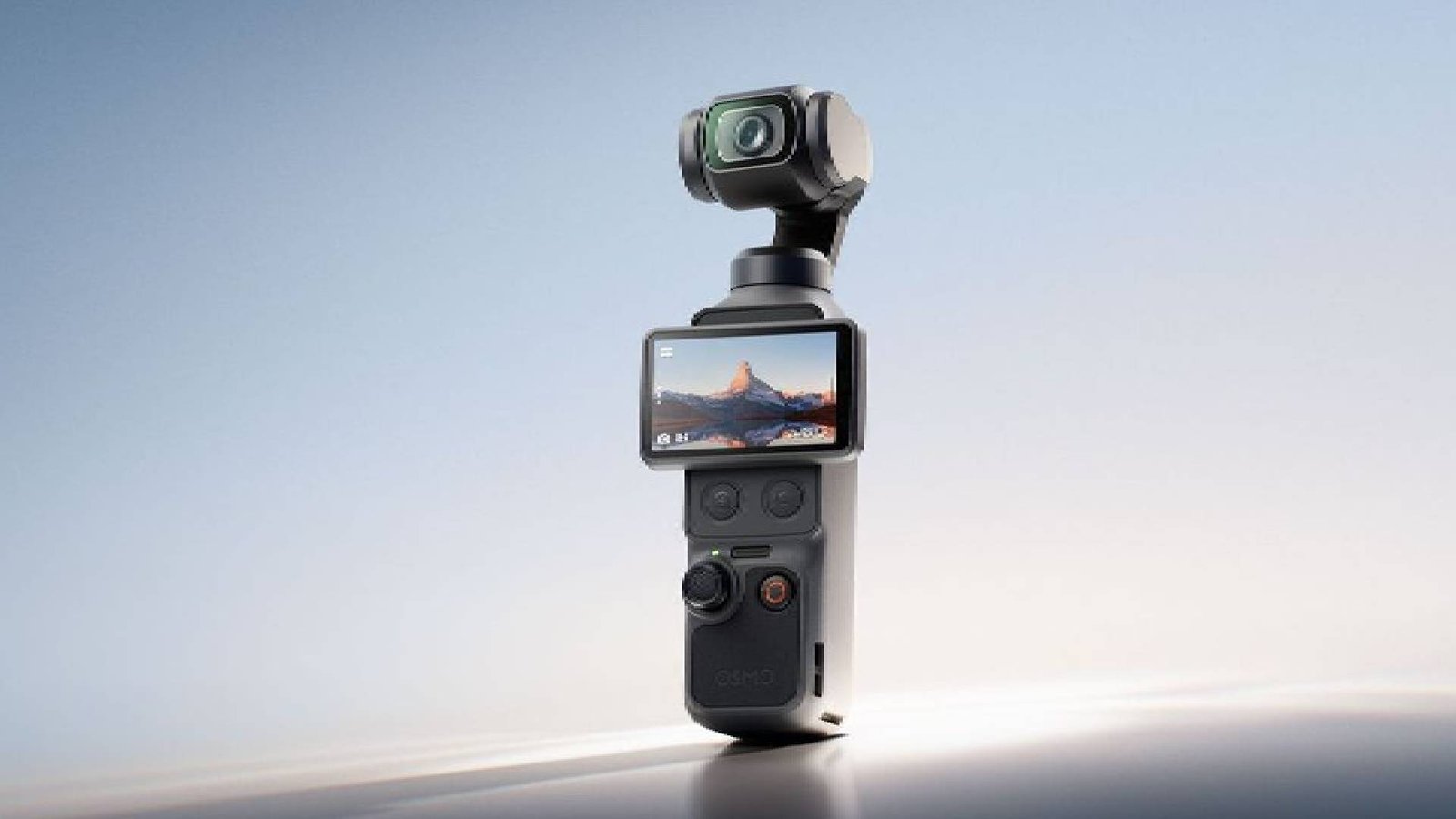
What happens when you hand the same camera to two very different reviewers? Women Love Network founder Robyn Foyster wanted a lightweight rig for filming interviews and reels. Contributor Jonathan Townsend, a self-confessed “what’s a gimbal?” beginner, wanted to know if he could master it at all. Here’s how the DJI Osmo Pocket 4 fared in both sets of hands.

She Said: Robyn Foyster
I’ve been looking for the perfect product to film interviews and reels for Women Love Tech and my other sites, so the DJI Osmo Pocket 4 arrived at exactly the right time. The first thing I noticed? On a recent tech trip to China with ECOVACS, the top tech journalists were all carrying this exact model — and every one of them gave it the thumbs up.
The imaging quality has had a serious upgrade. The new 1-inch CMOS sensor delivers 14 stops of dynamic range, shoots noticeably better in low light, and records in crisp 4K. It’s also feather-light compared with a traditional camera set-up, which means I can shoot high-quality film without lugging around heavy gear.
I’ve genuinely enjoyed playing with it, and I’m impressed enough with the output that I’m now comfortable using it for all of my filming across Women Love Tech and my other sites. Here’s what makes it so good:
- Create with style: All-new built-in Film Tones, plus support for slow-shutter video with adjustable speeds.
- Enhanced stability: ActiveTrack 7.0 and Intelligent Autofocus work with the 3-axis gimbal to lock onto subjects with no risk of loss or shake — though do be careful looking after that gimbal, it’s delicate.
- User-friendly controls: I don’t love wading through a big manual, and I didn’t have to. The new analogue joystick and buttons give you precision and smoother control straight away.

He Said: Jonathan Townsend
OK, so let me declare my cards. I’m not yet a grandfather, but not far off. Have I used a camera with a gimbal before? “What’s a gimbal?”
Yes, I can do video on my phone. Yes, I can upload it to Facebook and Instagram — just. Sure, I understand a fixed-lens 28mm travel camera and how to use the zoom. I understand depth of field and aperture priority. But video with a gimbal? Umm… here goes.
One thing to note upfront: you must download the DJI Mimo app to your phone and connect to your new Pocket 4 via Wi-Fi to “activate” the camera. It’s pretty simple, even for me.
So, grandad heads off to Manly Beach to have a go with this Osmo Pocket 4. It doesn’t look like a video camera to me — for starters, I can’t even see the lens. So I start reading the instructions, and there’s no doubt a YouTube video is your best bet. At least I can now turn it on! You simply swivel the screen into a horizontal position and the power comes on.
It has a joystick (looks like fun) which controls the pitch and side-to-side motion of the lens, plus a couple of buttons below the screen — one of which switches the joystick from controlling the pitch to controlling the zoom (up to a 4x maximum). Personally, to begin with at least, I’ve preferred to use the joystick for the zoom and simply move the camera angle with my hand.
I’m not filming yet, which is fortunate, because no one wants a video of my trainers as I walk along the Corso. Yes, the gimbal thing takes a bit of getting used to, but practice makes perfect. Indeed, my best advice to anyone using this camera for the first time is to keep using it regularly.
First, make sure you know how to take the gimbal lock on and off. This matters, because the gimbal is a very delicate, miniaturised, motorised 3-axis hinge that separates the lens from your hands. It kind of floats, removing any jerky movements you might make. As for that view of my trainers — a simple trick: push the joystick in twice in quick succession and the lens reverts to shooting straight ahead.
You do need to get used to this camera. It’s amazing. It moves effortlessly, slowly — but patience is required. Put simply, this thing removes all kinds of shake from human handling: walking, moving, turning around. It slows things down.
It’s worth putting in the time to watch a thorough YouTube walkthrough, from opening the box through to the more detailed menu options, which are considerable. Unless you’re a pro, I suggest starting on all the default Auto features, with video resolution set to 4K at 30fps. A little trial and error is necessary at the start — so don’t begin filming your daughter’s first birthday, or her wedding, on the day you open the box!
Once you’ve taken some video, it’s remarkably easy to download to your phone’s photo app. Make sure the Pocket 4 is on, connect to the Mimo app via Wi-Fi or a USB-C cable, and the footage transfers into the app, where you can choose which videos to save to your photo library. Even I managed it.
In short, this is a great, easily portable video camera that produces smooth, professional-looking video. If you purchase the Creator Combo, it also comes with a magnetic wide-angle lens that simply pops on, an external DJI Mic 3, and an extension handle that doubles as a mini tripod, also included. There’s a lot to play with — just remember the motto: practice makes perfect!

The Verdict on DJI Osmo Pocket 4
Two very different reviewers, one shared conclusion: the DJI Osmo Pocket 4 delivers professional-looking, beautifully stabilised video without the bulk — whether you’re filming interviews and reels for a media network or taking your very first steps beyond the smartphone.
Price and Availability
The DJI Osmo Pocket 4 is available now in Australia from $769 for the Standard Combo, or $959 for the Creator Combo, which adds the DJI Mic 3, fill light, magnetic wide-angle lens and mini tripod. Available from DJI’s online store and authorised Australian retailers including D1 Store and digiDirect.